Permissioned tools the model can actually use — governed MCP over HTTP, not a generic chat shell.
How it fits together
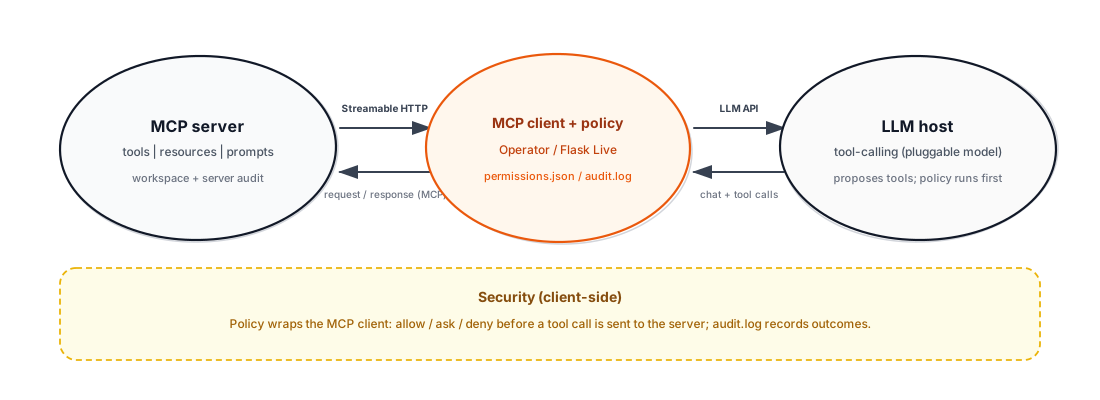
Permissioned MCP, then the model
The MCP server exposes tools, resources, and prompts. Your
client (this app or the Operator) connects over streamable HTTP,
enforces allow / ask / deny from permissions.json, and writes an
audit trail. Only then does the LLM plan the next step.
Demo — offline canned replies (always works).
Live — LLM + MCP tools: set credentials for your LLM_PROVIDER (e.g. OPENAI_API_KEY, or groq/cerebras keys — see .env.example); MCP server must be reachable.
Live keeps this tab’s chat in context until you press Clear.
Use the Operator (Gradio) to list tools and edit policies.